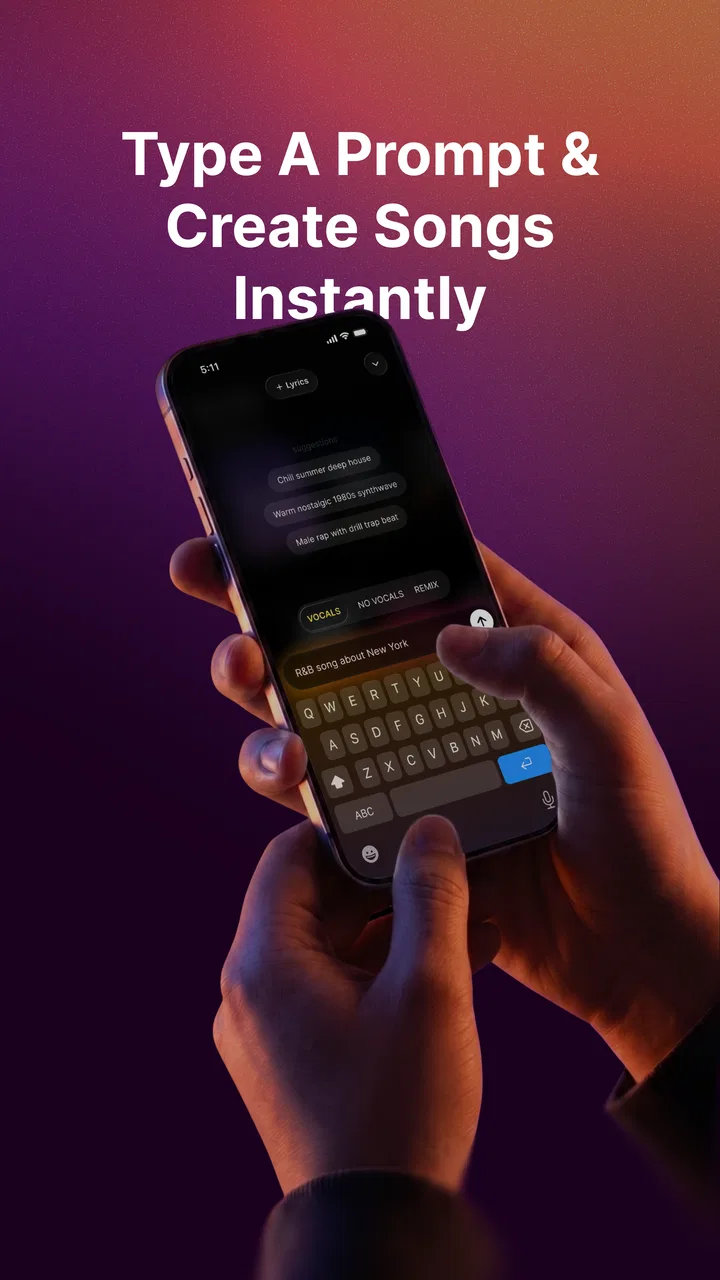
MusicGPT - AI Song Generator
- 4.5
- Rating
- 100.00K
- Installs
- Free
- Price

 Analysis by App-foxy
I approached MusicGPT - AI Song Generator as someone looking for a quick way to turn an idea into a piece of music, rather than as a replacement for a full recording studio. That distinction matters. The app sits in the Music & Audio category and comes from MusicGPT, with a focus on AI-created music, lyrics, voice, and related creative work. In my experience, its appeal is strongest when I want to move from a rough thought to something listenable without opening a complicated desktop program.
The basic promise is easy to understand, but the real experience depends on how clearly I define what I want and how patiently I handle the moments when a result does not arrive as expected. A short idea such as “make a calm song for a late-night drive” gives the system a starting point, while a more deliberate description can make the creative direction easier to judge. I found that the app is most useful as an idea generator, drafting partner, and fast experimentation tool.
Getting past the first points of friction
The first place many people can get stuck is before they have made anything. An AI music app can look simple, yet the user still has to decide whether to begin with lyrics, a vocal concept, or a broader song direction. If I approach it expecting one tap to produce a finished track that exactly matches a mental reference, disappointment arrives quickly. The better mindset is to treat the first result as a draft that helps me discover what I actually want.
You May Also Like

 Pandora - Music & Podcasts
Pandora’s Music Is Easy to Start, but Harder to Recover
Pandora’s strength is its low-effort path from a seed to a station. Its weak spot is how much confidence it asks you to place in connection, setup, and quiet recovery.

 8 Ball Pool
 Is Built on Rivalries, Rematches, and Routine
A close look at the rivalries, rematches, shared routines, and unanswered safety questions that turn a quick pool match into a persistent mobile community.

 Samsung Music
’s Quiet Strength Is Playing What You Already Own
Its reach comes less from spectacle than from dependable access to a personal library. That simplicity is both the app’s strongest retention engine and its ceiling.

 AccuWeather: Weather Radar
AccuWeather Review: A Quick, Clear Forecast for Everyday Decisions
For everyday plans, the best forecast is the one you can understand quickly. AccuWeather makes rain timing, radar, and local conditions easy to act on, with a few trade-offs.

 Hill Climb Racing
Why Hill Climb Racing Still Turns Crashes Into One More Run
A tiny car, a bumpy hill and one more upgrade: Hill Climb Racing keeps resurfacing because its simple chaos makes every near-miss feel personal.

 AliExpress - Shopping App
AliExpress Makes Global Shopping Feel Personal, but Shoppers Bear the Risk
AliExpress turns a global marketplace into a pocket-sized discovery engine. Its reach is useful, its shopping loop compelling, and its trade-offs easy to miss.
More From Our News Desk
View All News


I recommend starting with one clear purpose. For example, I might need a short musical idea for a personal video, a playful song for a family moment, or a rough demonstration of a chorus. I would not begin by combining several moods, multiple genres, a detailed story, and complicated vocal instructions in one request. A crowded brief makes it harder to understand whether the result missed the style, the lyrics, or the overall arrangement.
Another useful habit is to separate the creative decision from the technical one. First, I decide the emotional direction: warm, tense, bright, reflective, energetic, or understated. Then I think about the words and voice. This order helps me evaluate the output fairly. If I change every part at once, I cannot tell which adjustment improved the song and which one made it less suitable.
The app is free to start, which lowers the barrier for casual experimentation. It also includes in-app purchases ranging from $3.99 to $129.99 per item, so I would look carefully at the purchase screen before committing to anything. The free entry point is useful for deciding whether the workflow fits me, but I would not assume that every creative session will remain cost-free. Try the complete workflow before paying for more access.
Its Everyone age rating makes it approachable for a broad audience, although parents and younger users should still make their own decisions about how AI-generated voices and lyrics are used. The app is not automatically a substitute for judgment. I would review anything generated before sharing it, especially if the words are intended for a public post, a school project, or a personal message.
Small setup checks that prevent avoidable problems
Before blaming the generator, I check the basics. I make sure the device is running at least OS 10, since that is the minimum supported operating-system level. I also confirm that the app is updated to version 1.3.9 when that version is available for my device. Keeping the operating system and app current is a simple step, but it removes one common source of confusing behavior.
I also close other demanding apps before starting a generation. AI music creation can involve several stages, and a crowded device may make the process feel less responsive even when the service itself is working normally. This does not guarantee a perfect session, but it gives the app a cleaner environment and makes it easier to notice whether the problem is repeatable.
A stable internet connection is another practical check. If a request appears to stall, I avoid tapping the same control repeatedly. Repeated attempts can make it unclear whether the first request is still processing or whether a second request has been started. My preferred approach is to wait briefly, check whether the result has appeared, and then retry once if necessary.
I would also prepare the creative material in a notes app before entering it. This is especially helpful for lyrics or a longer description. Drafting outside the app means I keep a copy if the session needs to be restarted, and it lets me edit the wording without rushing. For a serious idea, I save each promising version with a simple label such as “slower chorus” or “brighter vocal direction.” That makes experimentation much less chaotic.
One subtle but important check is expectation management. A generated song can be musically interesting while still missing the exact pronunciation, pacing, or emotional emphasis I imagined. I listen for the part I care about most instead of judging the entire result at once. If the vocal idea is the priority, I focus on clarity and delivery. If the mood is the priority, I pay attention to the overall atmosphere rather than demanding perfect wording immediately.
A recovery workflow when a generation goes wrong
When a result feels wrong, I avoid rewriting the entire request immediately. I first identify the largest problem. Is the mood off? Are the lyrics too literal? Does the vocal character feel unsuitable? Is the arrangement too busy for the intended use? Changing one variable at a time gives me useful feedback and keeps the process from becoming a guessing game.
For example, if I wanted a gentle background song and received something too forceful, I would simplify the direction and emphasize restraint rather than adding a long list of exclusions. If the words are the issue, I would revise the lyric concept separately. If the voice is the problem, I would adjust that part without changing the entire story. This staged approach is one of the most practical ways to get more value from an AI music tool.
I also keep a “good enough” version instead of deleting every imperfect attempt. A first draft may contain a useful melody, phrase, or vocal idea even when the complete song is not ready. Saving that material gives me a reference for the next attempt. It also prevents the common mistake of chasing a better result and losing the one element that was already working.
If the app appears frozen, I use a calm recovery sequence: stop sending new requests, confirm the connection, leave and reopen the app if needed, and then try a smaller or simpler task. I would not treat a single failed generation as proof that the entire service is unusable. A temporary network interruption, a busy service, or a device-level issue can produce the same symptom.
When a result is generated but does not play correctly, I check the device volume and audio output before changing the prompt. Wireless headphones, car systems, and other connected devices can redirect sound without making the app look broken. I also test another audio source on the device. If other audio is silent too, the problem is probably broader than this particular app.
For lyric work, I keep the original text outside the app and compare it with the generated version. AI output can alter wording, repeat a phrase, or interpret a request differently from what I intended. That is not necessarily a technical failure; it is a reason to proofread. I would never publish or send a generated lyric without checking names, personal details, unintended meanings, and lines that sound awkward when spoken aloud.
When the app is not the real cause
It is easy to blame MusicGPT when the result does not fit, but sometimes the request itself is too vague. “Make something good” gives me no useful standard for judging the outcome. A stronger request describes the listener, purpose, emotional tone, and the role of the voice or lyrics. I do not need to write a technical essay, but I do need to give the generator a direction that can be evaluated.
Copyright and imitation concerns can also create confusion. If I ask for a song that closely resembles a particular living performer, I am setting an expectation that may be inappropriate or unrealistic. I get better creative results by describing broad qualities such as a relaxed delivery, a dramatic build, an intimate mood, or a bright rhythmic feel. That approach gives the app room to create something distinct instead of turning the request into a narrow imitation exercise.
Another issue is the intended use. The app is a strong fit for sketches, personal experiments, mood pieces, and early-stage creative work. I would be more cautious if I needed a polished commercial master, exact control over every instrument, detailed mixing, or a production workflow built around multitrack editing. A traditional digital audio workstation remains the better choice for precise arrangement and engineering. A human collaborator is also preferable when emotional nuance, live performance, or a unique artistic identity is central.
Compared with a conventional streaming service, MusicGPT serves a completely different purpose. Streaming apps are better when I already know what I want to hear and need a dependable catalog. This app is better when I want to make or explore something new. Compared with a standard lyrics app, it goes beyond displaying or organizing words by connecting lyrics with broader music and voice generation. Compared with a full studio application, it is easier to approach but offers less of the detailed control that experienced producers expect.
That middle position is both its strength and its limitation. Beginners can explore without learning a long chain of recording and mixing tools, while experienced musicians can use it for prompts, rough concepts, and creative detours. However, users who want complete ownership of every musical decision may find the process too indirect. I would choose it for speed and discovery, not for meticulous engineering.
Everyday uses that make the app worthwhile
A realistic example is a small video project. Suppose I am making a travel montage and need a musical direction that feels hopeful without becoming overly dramatic. I can use the app to explore several moods, keep the most suitable draft, and then decide whether it works as background audio. The value is not only the final track; it is the ability to hear options instead of trying to imagine them silently.
Another use is songwriting practice. I might begin with a theme, test different lyric angles, and listen for phrases that unlock my own writing. In that role, I treat the generated material as a prompt rather than as the finished song. This is especially useful when I am stuck on a chorus concept or want to compare a direct lyric with a more metaphorical one.
The voice element can also help me think about delivery. Words that look fine on a screen may feel too long, too repetitive, or emotionally flat when heard. Using an AI-generated vocal idea can expose those weaknesses early. I still make the final artistic decisions myself, but the app gives me an audio-based way to test them.
For a group activity, I would use it to create a playful song around a shared theme, then review the wording before anyone hears it. This can be fun for birthdays, informal events, or creative challenges. I would avoid entering sensitive personal information or private stories, and I would make sure everyone involved is comfortable with the result before sharing it.
One non-obvious workflow is to use the app as a comparison tool rather than a production endpoint. I can create two deliberately different directions, such as a restrained version and a more energetic version, then ask which one better suits the listener or video. This turns vague taste into a concrete choice. It is often easier to react to two audio examples than to debate an abstract description.
A second useful technique is to keep a short prompt journal. After each attempt, I note what changed and what improved. Over time, I learn which descriptions produce the kind of mood I prefer. This is more effective than randomly adding adjectives, because I build a personal method for communicating with the generator.
A third trade-off is speed versus authorship. The app can help me reach a convincing draft quickly, but the more I rely on automatic choices, the less control I have over the exact musical identity. If the piece represents me publicly, I would add my own editing, lyrics, performance, or arrangement wherever possible. That extra human layer is what turns an experiment into something personal.
What the current audience suggests, and what it does not settle
The app has a 4.8 average from around 8.1 thousand ratings, and it has passed 50 thousand installs. Those figures suggest that many users find the concept appealing and the experience worthwhile. I see that as encouraging, but I would not treat popularity as proof that every generation will match my taste. AI music is highly subjective, and the right question is whether its workflow suits my particular goal.
The app has 84 written reviews, which can be useful for spotting recurring user experiences when I read them critically. I pay more attention to comments that explain what the person was trying to create, where the process became difficult, and whether the result was useful afterward. A short positive reaction tells me less than a detailed account of how the app performed in a real project.
The developer is MusicGPT, and the current version is 1.3.9. I would check the version shown on my own device when troubleshooting, since app availability and rollout timing can differ between users. If a feature behaves differently after an update, I would first repeat the basic checks rather than assuming the change is permanent or intentional.
Who should use it and who should skip it
I would recommend MusicGPT to curious beginners, casual creators, lyric writers, video makers who need original musical ideas, and musicians who want a fast source of inspiration. It is particularly attractive when the main obstacle is getting started. Hearing a rough result can make a blank page feel much less intimidating.
I would also recommend it to people who enjoy iteration. The best experience comes from trying a direction, listening carefully, changing one element, and trying again. Someone who dislikes drafts or expects exact control from the first request may find the process frustrating. The app rewards exploration more than rigid precision.
I would skip it if I need a fully controlled studio environment, detailed audio engineering, dependable live collaboration, or a guaranteed match to a specific performer. In those cases, a digital audio workstation, a conventional recording setup, or a human producer is a better fit. I would also avoid using it as an automatic answer for emotionally sensitive content that requires careful human judgment.
My practical verdict
MusicGPT - AI Song Generator is a convincing creative companion when I use it for what it does best: turning a musical idea into an audible starting point. Its combination of AI music, lyrics, and voice makes it broader than a simple text-to-lyrics tool, while its approachable format is less intimidating than a full production suite. The free entry point makes it reasonable to test before deciding whether the wider workflow deserves further spending.
My main advice is to begin with a focused request, save useful drafts, adjust one variable at a time, and check the device and connection before assuming the app has failed. I would also proofread every lyric and think carefully about where a generated voice or song will be shared. Those habits make the experience more reliable and more responsible.
In the end, I see this as an idea accelerator rather than a finished-studio replacement. It can help me break through creative hesitation, compare musical directions, and discover a chorus or mood worth developing. If that is what I need, MusicGPT is worth trying for its fast, exploratory workflow. If I need exact production control or a final professional master, I would choose a more specialized tool instead.
FAQs for MusicGPT - AI Song Generator
01What is MusicGPT and how does it work?
MusicGPT is an AI-powered song generator app that allows users to create music tracks using artificial intelligence. By inputting various parameters such as mood, genre, and tempo, users can generate unique compositions. The app harnesses deep learning models to analyze musical structures and patterns, crafting songs that suit your preferences.
02Is MusicGPT free to use, or does it require a subscription?
MusicGPT offers a free version with limited features, allowing users to explore basic song creation. For more advanced features, including higher quality audio and additional customization options, a subscription is available. The app provides in-app purchases for those who wish to upgrade to premium services.
03Can I export the songs created with MusicGPT?
Yes, MusicGPT allows users to export their generated songs. You can download your tracks in various formats such as MP3 or WAV, making it easy to share on social media platforms or incorporate into other projects. The app ensures that the audio quality remains high during the export process.
04Does MusicGPT require internet connectivity to function?
MusicGPT requires an internet connection for optimal performance, especially when generating new songs, as it needs to access the AI models and databases. However, once a song is generated, you can download and play it offline, ensuring you have access to your creations anytime.
05How user-friendly is MusicGPT for beginners?
MusicGPT is designed with an intuitive interface, making it accessible for beginners. The app provides step-by-step guides and tutorials to help new users navigate the song creation process. With its user-friendly design, even those with no musical background can easily generate high-quality music tracks.
Pros
- Generates unique songs quickly.
- User-friendly interface.
- Wide range of musical genres.
- Customizable song options.
- AI improves over time.
Cons
- Limited free features.
- Requires internet connection.
- Occasional repetitive outputs.
- Subscription can be pricey.
- No offline mode.

MusicGPT - AI Song Generator
Gallery